So this is going to sound insane, but it looks to me as all images
loaded under Sway by GTK-derived image viewers are blurry.

At first, I thought this was an issue with screenshotting tools. I was
redoing the screenshot for undertime, and found the newer version
wasn't as sharp as the previous ones. I blamed this on fractional
scaling, and figured such was life, a small price to pay compared to
the misery of fractional displays in Xorg.

But then I found out about this bug in shotman:

https://todo.sr.ht/~whynothugo/shotman/11

... and thought, "great, someone fixed this". But no, what the shotman
maintainer said is:

Then I started testing things. In my tests most of the image viewers I
could get my hands on display images with a noticeable blur.

This includes flagship software like Firefox and "eye of gnome", the
built-in GNOME image viewer, but also geeqie, imv, pqiv and, more
concerning for my amateur photography work, Darktable and possibly
even Digikam.

It does *not* include swaybg, qimgv, koko and gwenview, which leads me
to believe this is a GTK-specific issue (although Digikam is obviously
built on top of Qt/KDE, so I might be wrong, either on the GTK theory,
or on my Digikam test).

A simple way to reproduce this issue is to take a full screen
screenshot with:

    shotman -c output

Then display it, full screen, in the tested application. Try swapping
between your different workspaces, you should see a noticeable "blur"
or "fuzziness" ("aliasing"?) added around pixels. It works best if you
put the full screen image viewer in a workspace next to the workspace
you screenshot, the differences should be obvious.

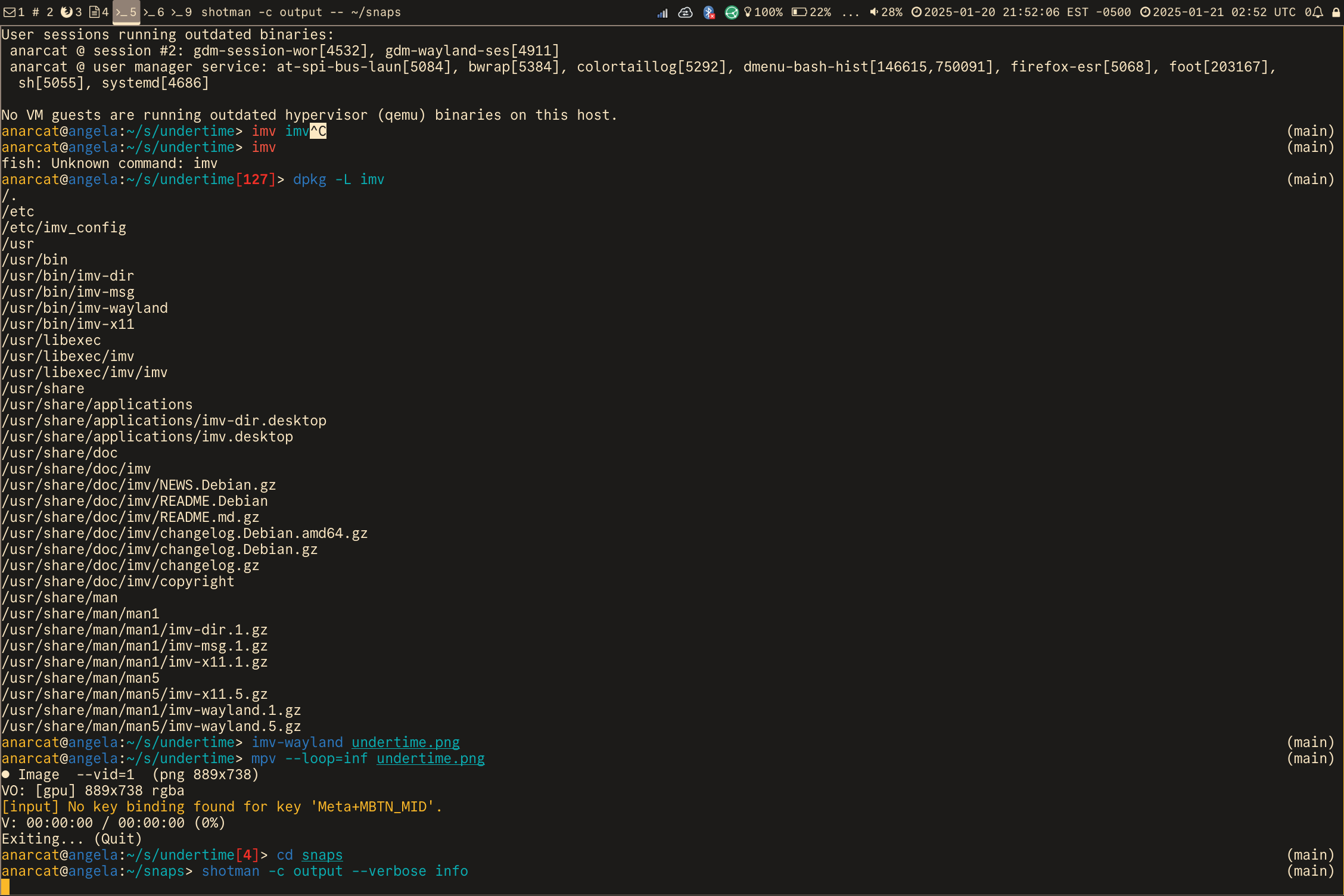
You can even screenshot the issue. Here's a screenshot of my desktop
where you can see a foot window running the above `shotman` command:

https://paste.anarc.at/publish/2025-01-20-Ie2Gs5QhtTBWLYdIf9XuPD-6jrIzTSvElDNmahN-Fj0/Screenshot.from.2025-01-20.at.21_52_06.280461690.png

that should *not* look blurry on your screen: it should look crystal
clear.

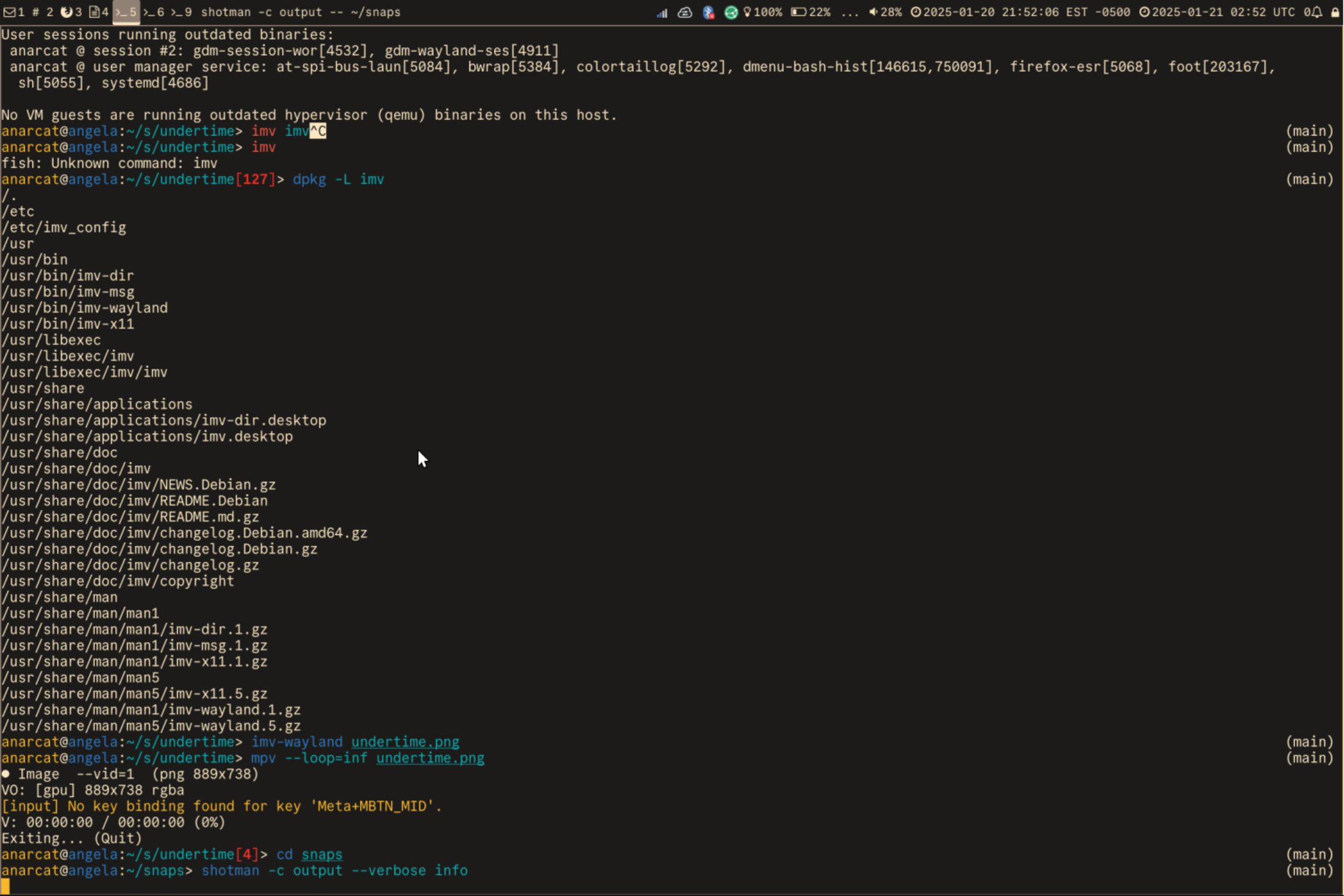
Now, look at this screenshot of geeqie rendering that above
screenshot:

https://paste.anarc.at/publish/2025-01-20-Ie2Gs5QhtTBWLYdIf9XuPD-6jrIzTSvElDNmahN-Fj0/Screenshot.from.2025-01-20.at.22_24_02.364998203.png

That *should* look blurry, regardless of where you load it, and it's
how I experience it.

(And yes, there's a white line on the right of the screenshot, I also
see this in geeqie, before the second screenshot is made. I think it's
a separate, geeqie-specific, bug.)

(Fine minds will also notice the size difference between the two
images: the second screenshot is more than twice as large as the first
one. My bet is this is the PNG lossless compression struggling to deal
with the fuzzy pixels.)

This does not occur in geeqie on a "normal" GNOME desktop environment,
which leads me to believe this is an interoperability issue between
Sway (or wlroots?) and GTK.

I'm tempted to mark this as affecting *all* of those other projects,
but that would feel rather counter-productive. The reality, though, is
that I no longer trust *any* image viewer (including, distressingly,
Firefox and Darktable) to give me pixel-perfect displays of images.

I would love to hear from other Sway users to at least confirm I am
not completely losing my mind over here.

I would love even more to hear something to the effect of "oh, you're
doing it wrong, you should be enabling the fubar polarity on the
vortex inverter" and just fix all of this, but I suspect the reality
of this bug will be slightly more horrible.

I haven't filed this upstream yet, as I'm afraid of the 969 issues in
that I would need to wade through to avoid duplicates.

Interestingly though, I did find a (closed, 7-year-old) issue in
wlroots that might be related:

https://gitlab.freedesktop.org/wlroots/wlroots/-/issues/210
I should also note that not all viewers are similarly blurry.

For example, eog is noticeably *less* blurry than geeqie (in fact, now
I'm starting to doubt it's blurry at all). Comparing the screenshot vs
gwenview, however, it does seem a little less sharp. Same with imv,
which seems to have the same output as eog.

pqiv and geeqie, however, are similarly blurry. I have also tried qimgv,
but couldn't figure out how to properly scale an image up to full screen
without any gaps around, possibly another interoperability bug. similar
issue with swayimg.

it *looks* like swaybg doesn't have blurriness issues.

so this *might* be an issue specific to geeqie, but I still feel there
might be something fundamentally wrong with GTK and Sway here.

a.
Just tested with loupe (rust, glib) and the results are similar to eog:
slight blurriness.

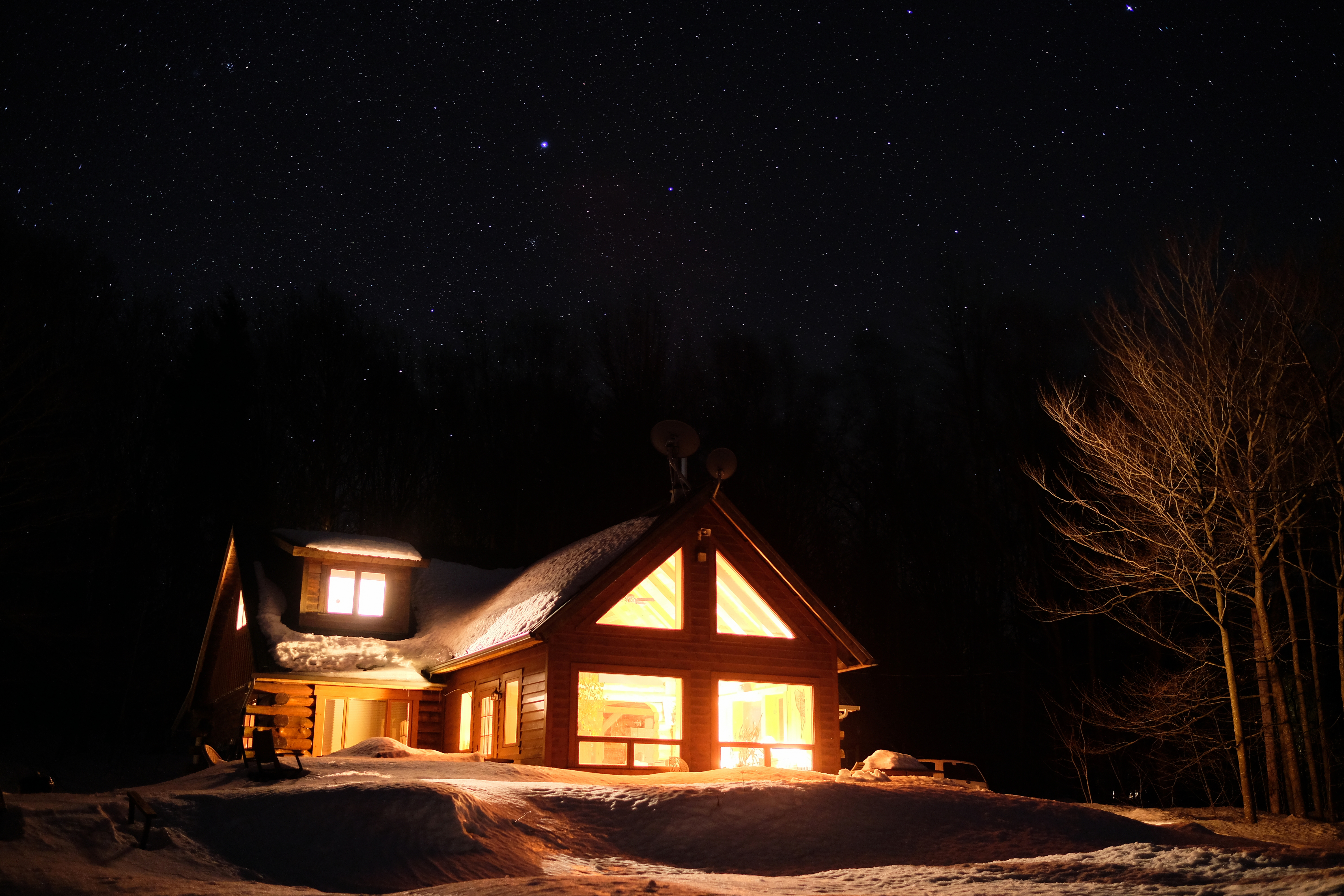
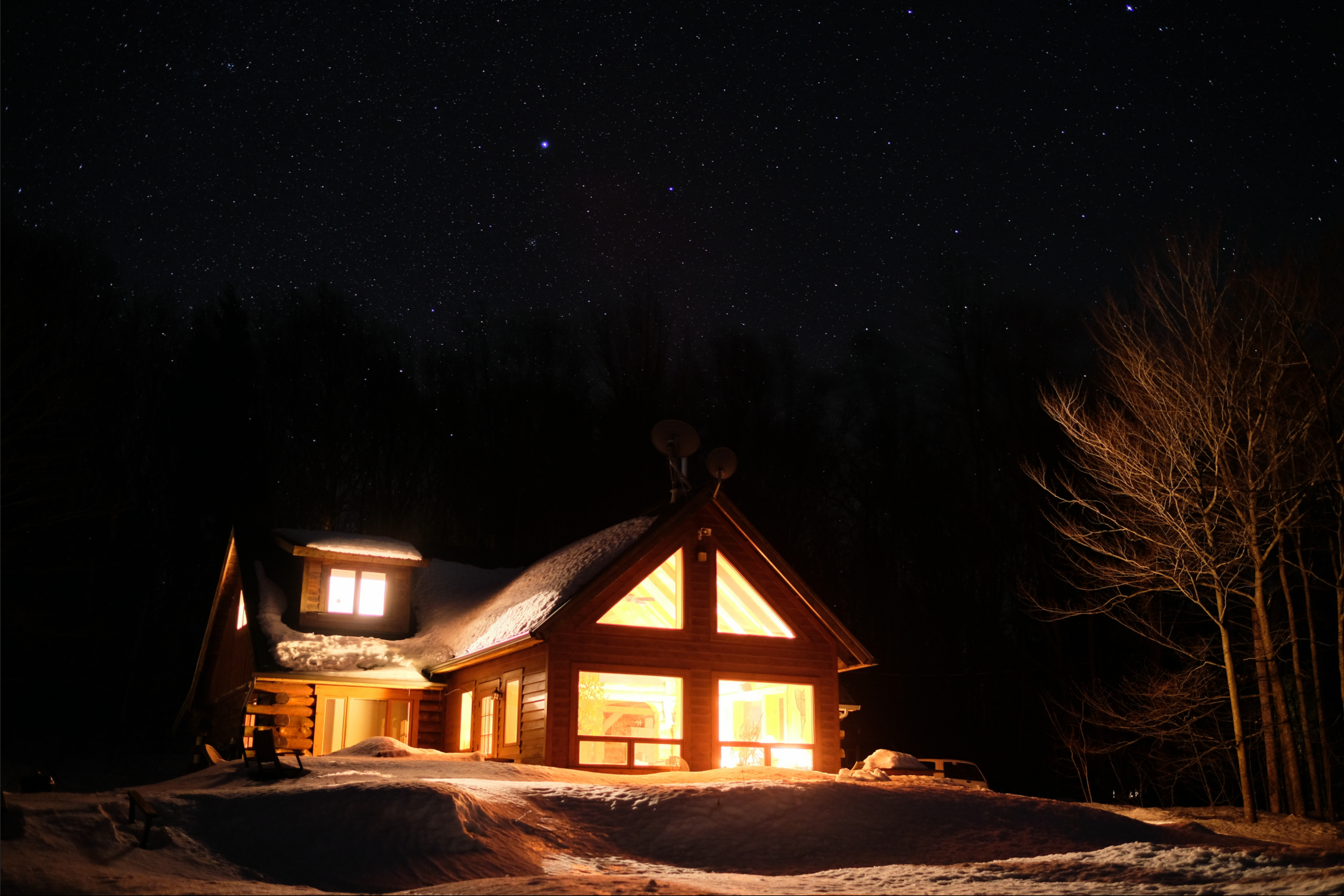
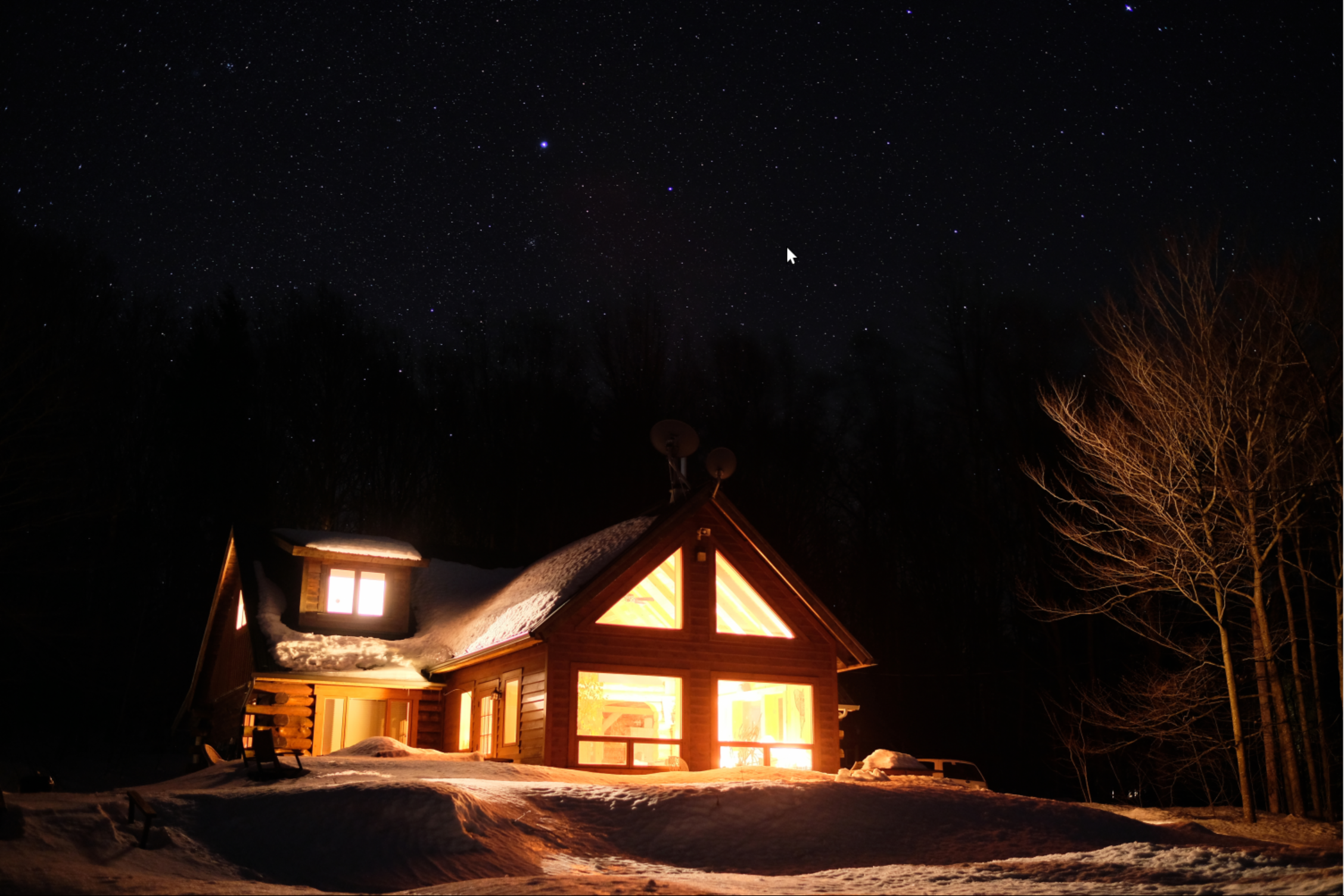
It's more evident when you use a highly detailed image like this:

https://paste.anarc.at/publish/2025-01-20-Ie2Gs5QhtTBWLYdIf9XuPD-6jrIzTSvElDNmahN-Fj0/DSCF8443.jpg

Here's the image, in fullscreen, with gwenview:

https://paste.anarc.at/publish/2025-01-21-OsAUOgRllZpna1rl4HdrB12Wk6cwAQmPy8tni19CR7o/snap-20250121T000339.png

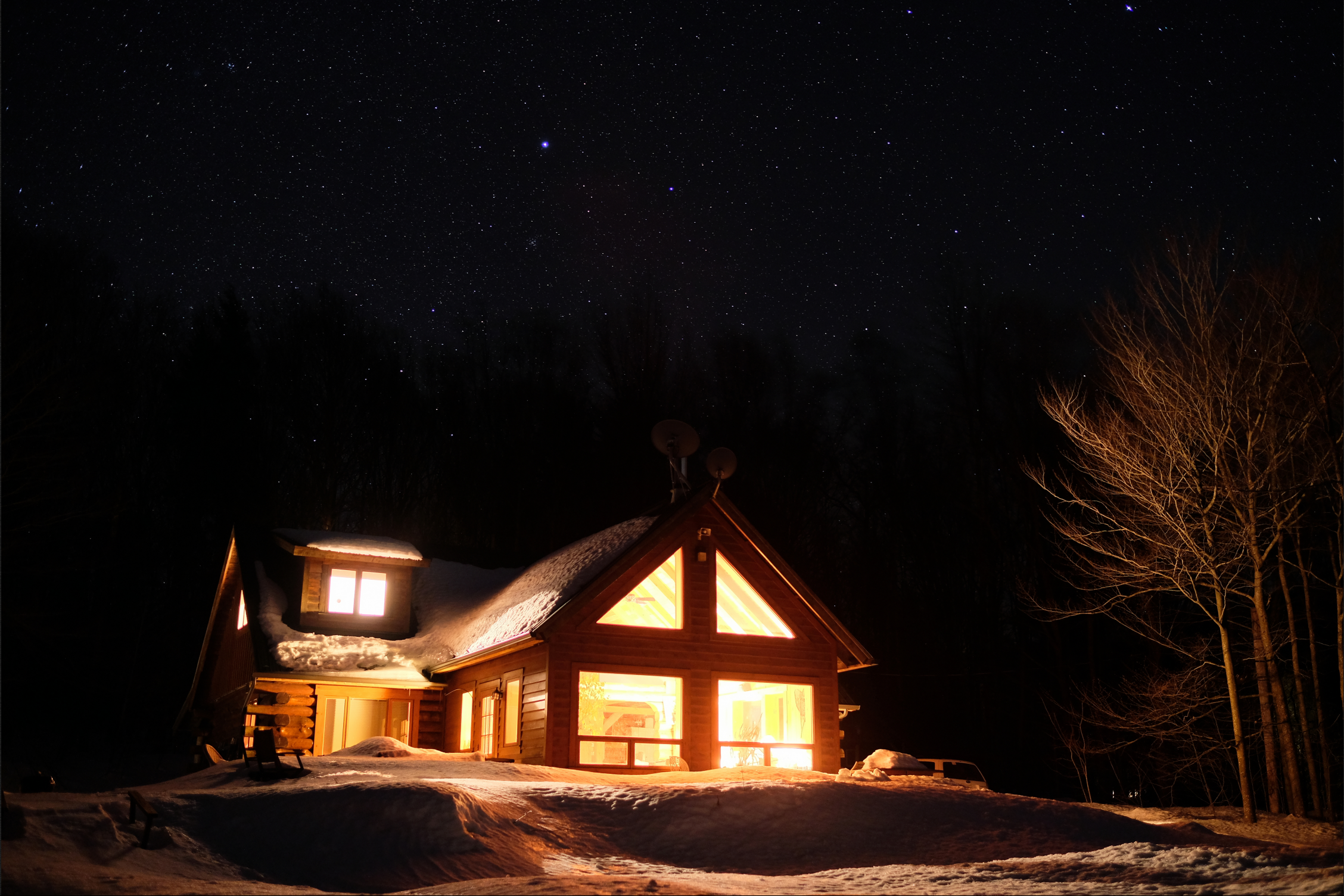
And in loupe:

https://paste.anarc.at/publish/2025-01-21-eCYBYlqcokxNCZ2zw-HYaKGlFtQbINWlDfl5DnJlrig/snap-20250121T000502.png

The difference is subtle, but when you start looking at it, you can't
unsee it. Look at the stars, how they "dim" out, or the branches in the
tree on the right, normally pretty sharp, somehow dissolving in loupe.

When I load those two images in gwenview, they actually look *more*
similar than when I look at the two renderings on screen, where the
loupe render is much blurrier.

Now, this could also be issues with the renderers themselves at this
point, and not wayland. The more I look into this, the more I get lost.

One thing is sure for me now: geeqie is doing it wrong. Here's a
screenshot of geeqie rendering the same image, again:

https://paste.anarc.at/publish/2025-01-21-fAkhQY_OJybKbMthAnUMtA1BCvnRkSsYYU7nfj93Aek/snap-20250121T001048.png

Now that is *clearly* more blurry to me.

So maybe this is more specific to geeqie than GTK in general, but I
can't shake the feeling there's something wrong across the board
here. There has been scaling issues in Geeqie in the past, so that might
be part of why it's misbehaving so badly:

https://github.com/BestImageViewer/geeqie/issues/561
For what it's worth, I have now tested gimp, and i find it renders the
image full screen *better* than gwenview. (It did take a couple of
minutes to turn off *everything* in gimp to get the right view though.)

Considering the G in GTK stands for "Gimp", this might not be a GTK
issue after all, although it's quite likely Gimp renders images
radically different than anything else out there.

a.
Some updates from the shotman issue tracker:

this could be related to fractional scaling. According to them:

... but then the shotman maintainer added:
not seeing this with KDE apps.

This would also explain why I don't get the issue while logged into
GNOME: I hadn't configured fractional scaling there, so the issue didn't
trigger, but it would likely trigger if I would.

I guess that's the next step: try to reproduce in GNOME after enabling
fractional scaling.

Sigh.

FWIW, I don't see any similar bug filed in the BTS about this in GTK3.

a.
Hi,

I tried to reproduce the behavior. I took a screenshot in sway using
shotman and opened it using eog and compared the screen with the
screenshot. At that time I also saw the blurryness. I did not see any
blurryness with swayimg.

To see if this is a sway related issue, I tried to do the same in labwc,
but there shotman did not work at all (segfault), but grimshot did. But
I did not see any blurryness in eog.

*But* then i started sway again and now I'm not able to reproduce the
blurry images anymore. I even rebooted, but still no blurry eog. So I'm
confused now. I'll follow up once I'm able to reproduce the blurry eog
output.

cheers,
Birger